
Protect your .env files, cloud keys, SSH & GPG keys, and API tokens from supply-chain attacks. Every app that tries to read a secret needs your one-time approval — so a compromised dependency or rogue AI agent can't exfiltrate what it can't read.
Developers are under constant threat from untrusted code. Every day your machine runs thousands of packages — and their transitive dependencies — written by unverified authors, each free to read any file you can. One poisoned dependency, build script, or AI agent is all it takes to ship your credentials to an attacker.
npm / pip / cargo / gem run arbitrary scripts on install. The classic payload reads
~/.aws/credentials, ~/.npmrc, .env and phones home.
Agentic tools scan your working directory for "context" — sweeping up .env files
and cloud tokens you never meant to share.
By default macOS lets any process you run read any file you can. You never even see it happen — until the breach notification arrives.
In September 2025, Shai-Hulud became the first self-replicating worm on npm.
A trojanized package's install script scanned the machine for secrets (npm tokens,
~/.aws/credentials, .env, SSH & GitHub tokens), exfiltrated them to
public repos, then used the stolen npm publish token to infect every other
package the victim maintained. Hundreds of packages fell within hours — and the next
npm install spread it further.
The entire worm depends on one move: reading your credentials off disk. SCDLP breaks the chain right there.
npm install a compromised dependency.postinstall script runs with your privileges.~/.npmrc, ~/.aws/credentials, .env… → SCDLP blocks the read.No credentials leave disk, so there is nothing to steal and no token to propagate with — even for a brand-new package SCDLP has never seen.
A signed system extension on Apple's Endpoint Security framework — kernel-grade, not a shim.
SCDLP subscribes to authorization open events on Apple's Endpoint
Security framework, so every read of a protected file is checked by SCDLP first.
It resolves the full process ancestry — which program, launched by what, under which app — and matches the file against your policy of path globs.
Covered by a rule? Allowed instantly. Otherwise SCDLP blocks the read right
away and raises a prompt — it never stalls the process waiting on you:
"Allow node to read ~/.aws/credentials?"
Approve the prompt and your choice becomes a scoped rule — this file, this program, or a trusted app. Re-run the command and the read goes through. You approve once.
Everything runs from a menu-bar app — no terminal required.
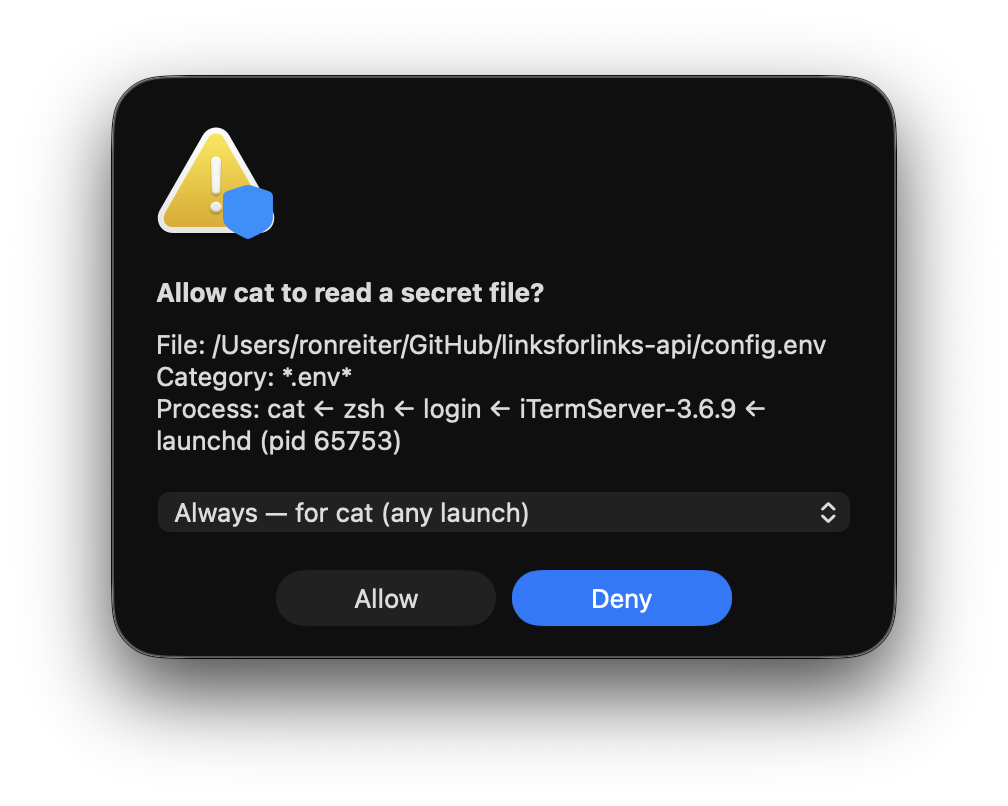
When an unknown process reaches for a secret, SCDLP blocks the read and raises a Little-Snitch-style prompt showing the file and the full process chain. Allow it once, always for that app, or deny — then re-run, and approved reads go straight through.
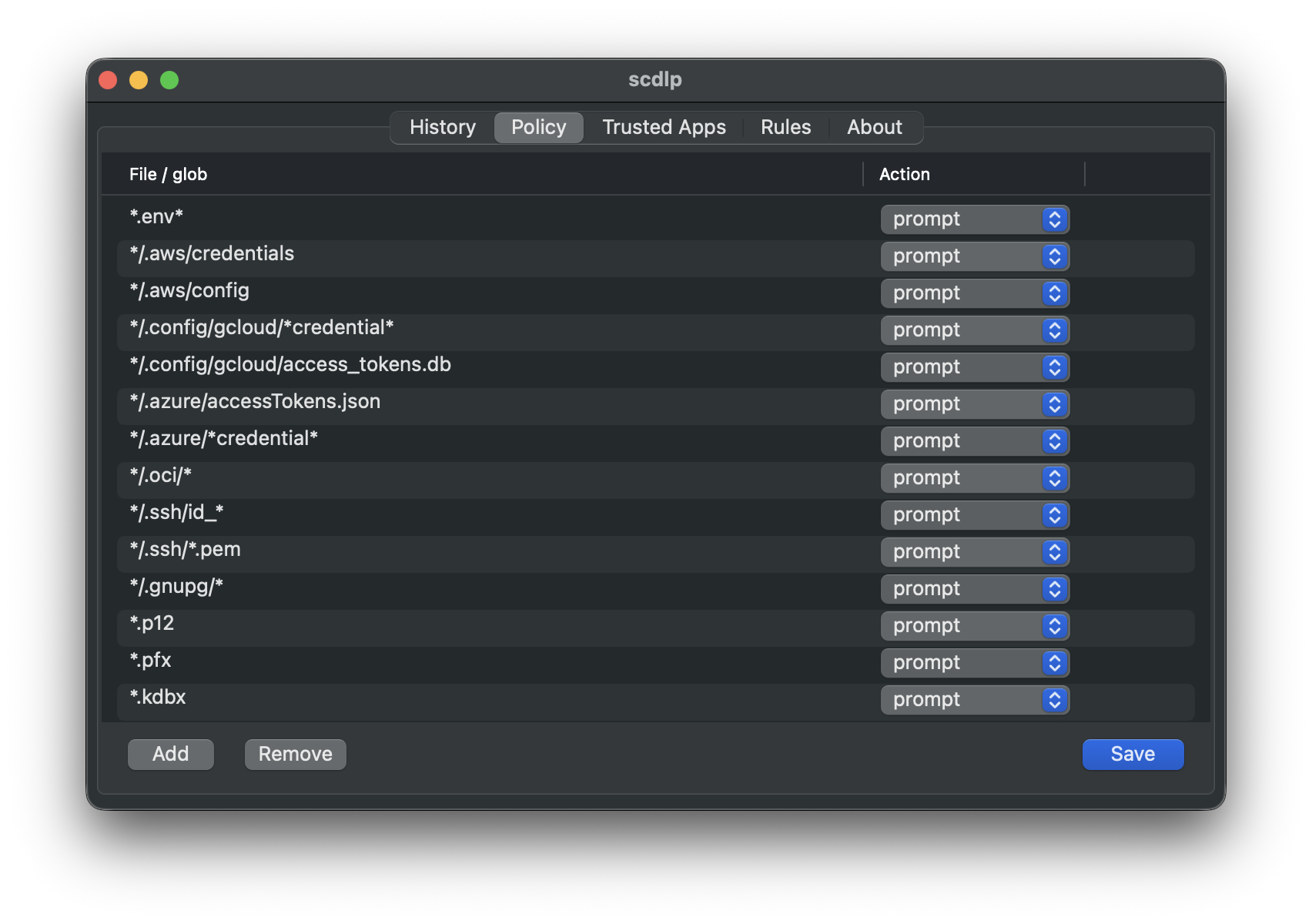
Decide exactly which files are protected with a table of path globs — *.env*,
*/.aws/credentials, SSH keys, tokens, kubeconfigs. Add, remove, and tune entries;
changes apply live, no restart.
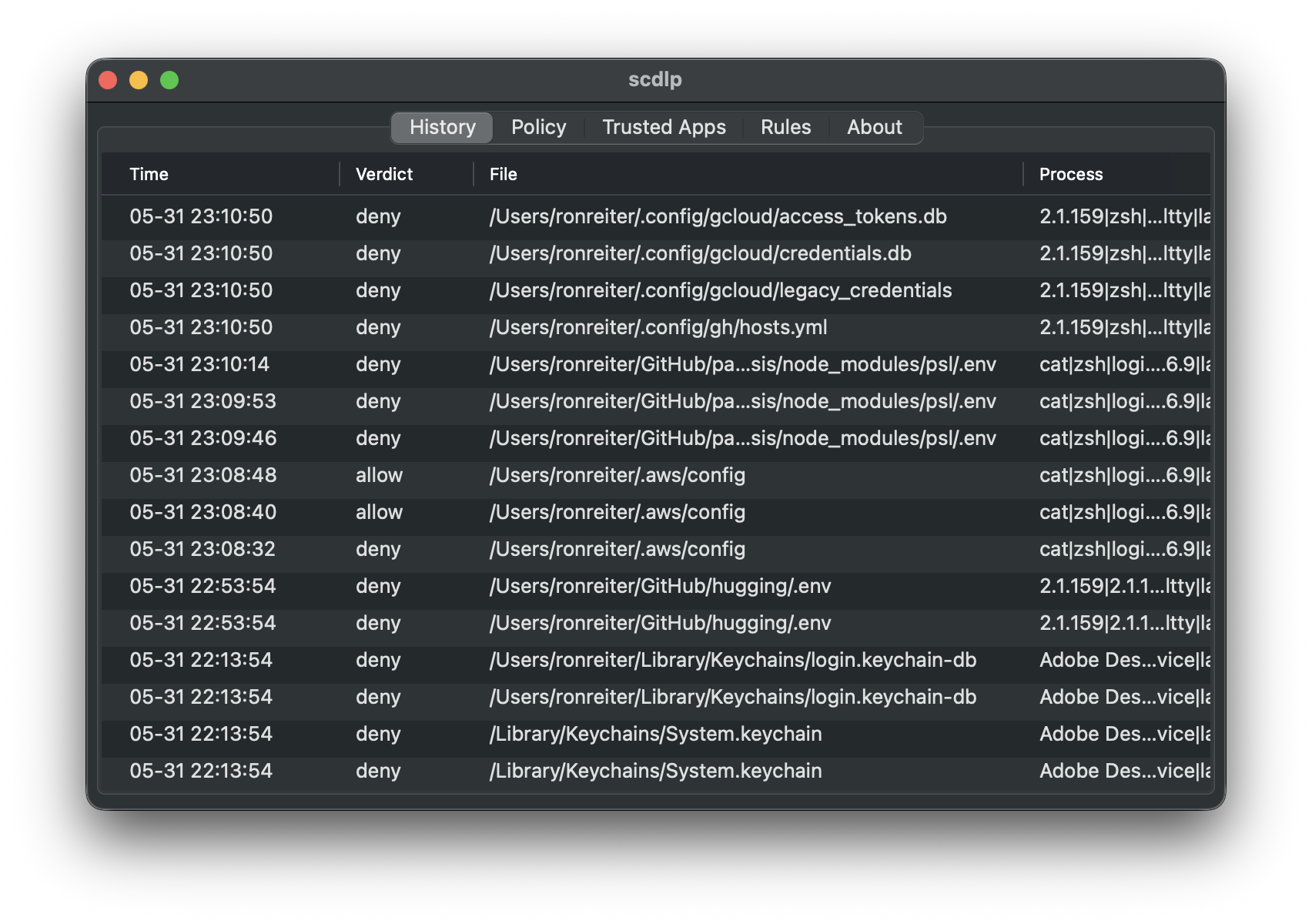
Every allow and deny is recorded with the file, the matched category, and the complete process ancestry — so you can see exactly what tried to read your secrets, and when.
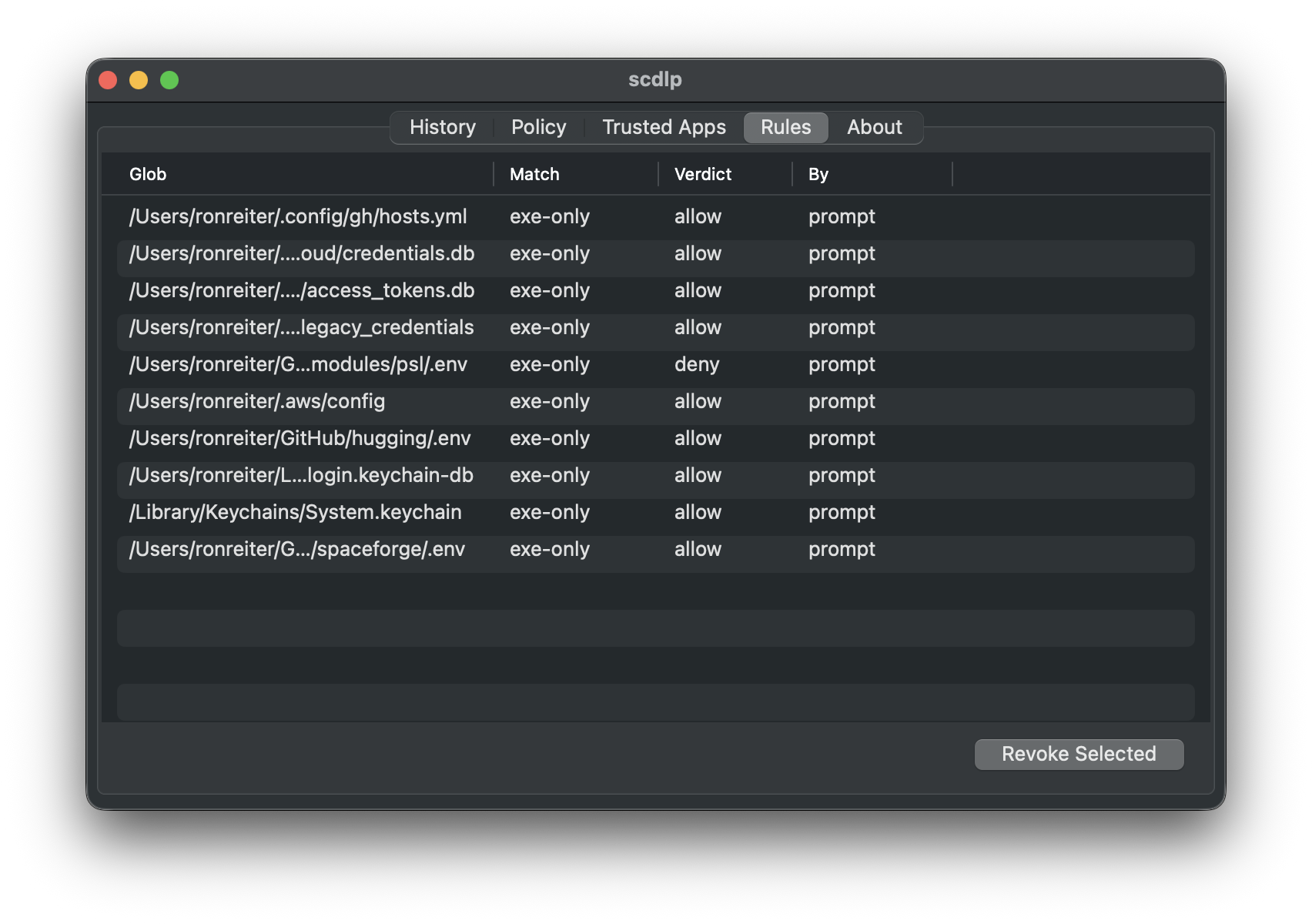
Your choices become scoped rules — by exact file, by program, or by trusted app — so you're asked once, not every time. Review them anytime and revoke any rule with one click.
Defense that stays out of your way.
Allowlist tools you trust to read secrets — once — so chatty-but-legit apps never flood you.
Per-process re-prompt cooldown means a noisy reader is denied quietly, not 50 dialogs deep.
Toggle enforcement from the menu-bar shield whenever you need to get out of the way.
Built on Apple's Endpoint Security framework — signed, notarized, and tamper-resistant.
Everything stays on your Mac. No telemetry, no cloud, no accounts — ever.
MIT-licensed and auditable end to end. Read every line, build it yourself.
Signed & notarized. Requires macOS 13+ and one approval in System Settings.
Grab the latest signed,
notarized build and drag scdlp.app into Applications.
On first launch, approve the system extension in System Settings → General → Login Items & Extensions → Endpoint Security, and grant Full Disk Access to the extension.
# needs Go + Xcode + a Developer ID cert
git clone https://github.com/ronreiter/scdlp
cd scdlp
brew install go-task
task build
See docs/install.md for signing, notarization, and local deployment.